# CVE

# CVE-2024-6387 OpenSSH 重大漏洞

### OpenSSH含有可遠端攻陷伺服器的回歸漏洞

> OpenSSH團隊於7月1日發布的OpenSSH 9.8/9.8p1版本，修補編號CVE-2024-6387的高風險漏洞，允許駭客在不需要身分驗證的情況下，自遠端執行任意程式，還能以最高權限執行

資料來源 :   
[https://www.ithome.com.tw/news/163737](https://www.ithome.com.tw/news/163737)

[https://www.qualys.com/regresshion-cve-2024-6387/](https://www.qualys.com/regresshion-cve-2024-6387/)

### 受影響 OpenSSH 版本

<p class="callout danger"><span style="color: rgb(224, 62, 45);">**<span style="color: rgb(224, 62, 45);">除 4.4p1 ~ 8.5p1、9.8p1 不受影響，其餘版本皆具此漏洞</span>**</span></p>

### 緊急應對措施

**<span style="color: rgb(224, 62, 45);">⚠️ 檢查Firewall Policy，禁止主機SSH對外開放 ⚠️</span>**

**<span style="color: rgb(224, 62, 45);">⚠️ 檢查Firewall Policy，禁止主機SSH對外開放 ⚠️</span>**

**<span style="color: rgb(224, 62, 45);">⚠️ 檢查Firewall Policy，禁止主機SSH對外開放 ⚠️</span>**

(很重要說三遍)

### 檢查SSH版本

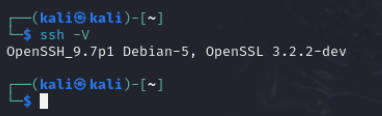
##### 一、透過 ssh -V 檢查 (需登入、一次一台)

```
ssh -V
```
![image.png](https://mdfk.goddamn.idv.tw/uploads/images/gallery/2024-07/scaled-1680-/hCcimage.png)

##### 二、透過 dnf / apt 檢查 (需登入、一次一台)

```
<< Redhat / CentOS / Rocky / Oracle >>
sudo dnf list installed | grep openssh

<< Debian / Ubuntu >>
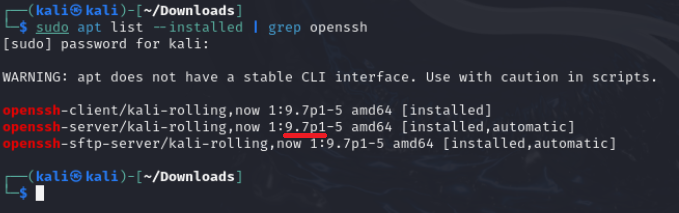
sudo apt list --installed | grep openssh
```

![image.png](https://mdfk.goddamn.idv.tw/uploads/images/gallery/2024-07/scaled-1680-/NAPimage.png)

![image.png](https://mdfk.goddamn.idv.tw/uploads/images/gallery/2024-07/scaled-1680-/iOiimage.png)

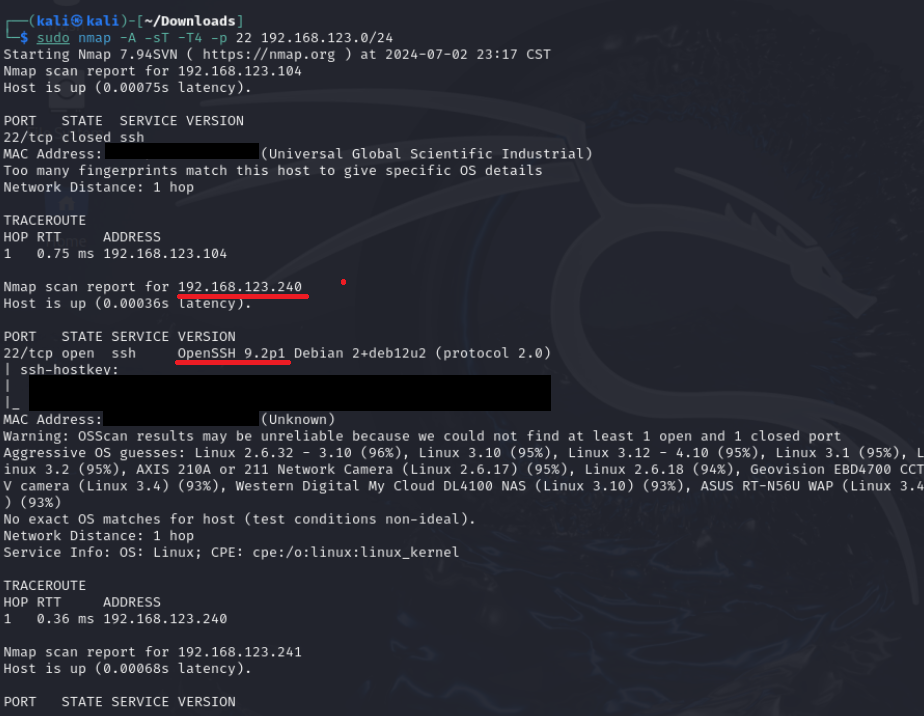
##### 三、透過NMap檢查 (不需登入、可多台)

```
sudo nmap -A -sT -T4 -p 22 192.168.xx.xx/24
```
![image.png](https://mdfk.goddamn.idv.tw/uploads/images/gallery/2024-07/scaled-1680-/UIWimage.png)

##### 四、Github Open Source Tool (不需登入、可多台)


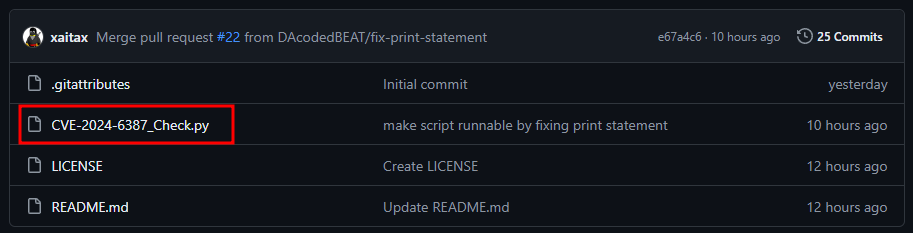
<span class="mr-2 flex-self-stretch">資料來源 : </span>**[CVE-2024-6387\_Check](https://github.com/xaitax/CVE-2024-6387_Check)**

<span class="mr-2 flex-self-stretch"> </span><span class="mr-2 flex-self-stretch">[https://github.com/xaitax/CVE-2024-6387\_Check](https://github.com/xaitax/CVE-2024-6387_Check)</span>

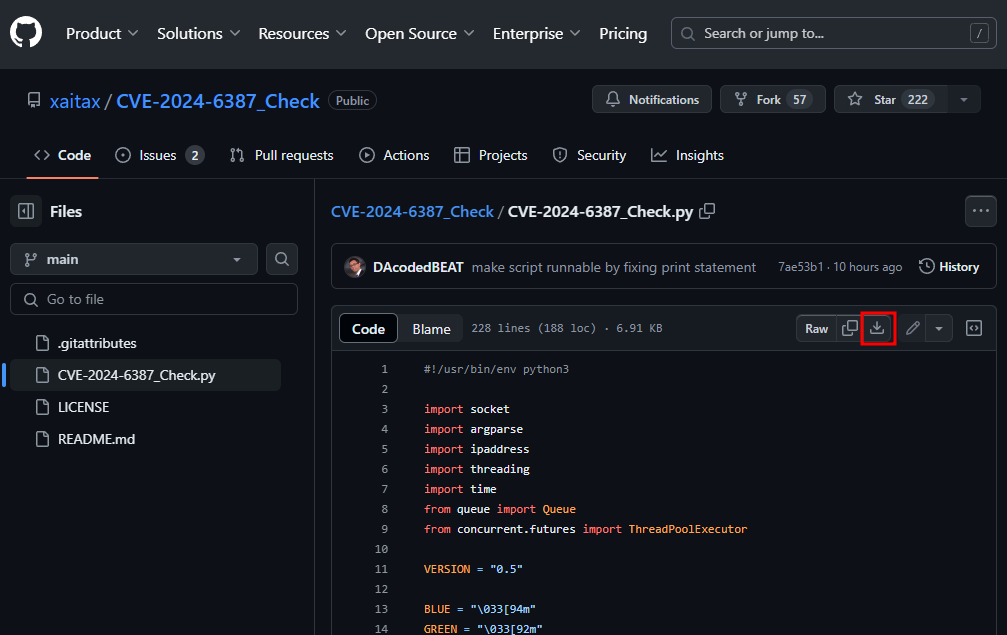
點選紅框處下載

![image.png](https://mdfk.goddamn.idv.tw/uploads/images/gallery/2024-07/scaled-1680-/my6image.png)

![image.png](https://mdfk.goddamn.idv.tw/uploads/images/gallery/2024-07/scaled-1680-/A3iimage.png)

使用下面指令來執行

```
python CVE-2024-6387_Check.py 192.168.xx.xx/24
```

[![image.png](https://mdfk.goddamn.idv.tw/uploads/images/gallery/2024-07/scaled-1680-/2t8image.png)](https://mdfk.goddamn.idv.tw/uploads/images/gallery/2024-07/2t8image.png)

<span style="color: rgb(224, 62, 45);">**"紅框"**</span>處即是該注意的主機

### 治本之道

**<span style="color: rgb(224, 62, 45);">⚠️ 盡速更新OpenSSH至9.8p1以上 ⚠️</span>**

**<span style="color: rgb(224, 62, 45);">⚠️ 盡速更新OpenSSH至9.8p1以上 ⚠️</span>**

**<span style="color: rgb(224, 62, 45);">⚠️ 盡速更新OpenSSH至9.8p1以上 ⚠️</span>**

(很重要說三遍)