# Fortigate IPSEC + iBGP實作

### **參考資料**

<p class="callout info">[https://docs.fortinet.com/document/fortigate/7.4.4/administration-guide/763341/basic-bgp-example](https://docs.fortinet.com/document/fortigate/7.4.4/administration-guide/763341/basic-bgp-example)</p>

### **環境說明**

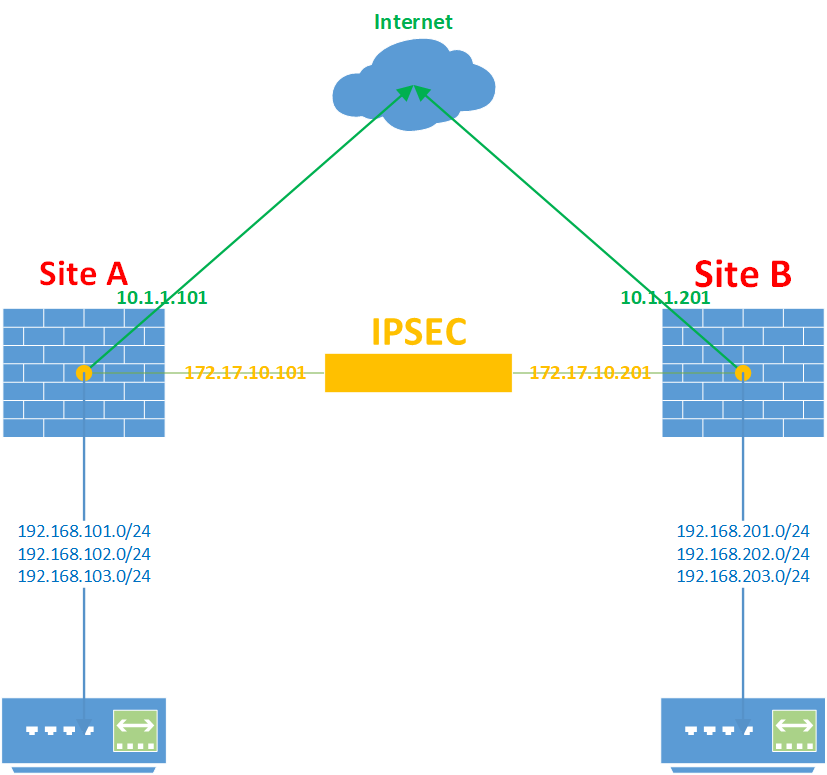
![image.png](https://mdfk.goddamn.idv.tw/uploads/images/gallery/2024-07/scaled-1680-/M5Dimage.png)

**<span style="color: rgb(224, 62, 45);">Site A :</span>** Fortigate 60D Firmware v6.0.17

 WAN IP : 10.1.1.101

 LAN IP : 192.168.101.0/24、192.168.102.0/24、192.168.103.0/24

 IPSEC IP : 172.17.10.101

**<span style="color: rgb(224, 62, 45);">Site B :</span>** Fortigate 60D Firmware v6.0.17

 WAN IP : 10.1.1.201

 LAN IP : 192.168.201.0/24、192.168.202.0/24、192.168.203.0/24

 IPSEC IP : 172.17.10.101

### **設定步驟**

#### 預先設定

 首先先將Site A、Site B的WAN、LAN Interface IP設定好，為了後面Policy設定方便我將LAN綁成一個Zone

![image.png](https://mdfk.goddamn.idv.tw/uploads/images/gallery/2024-07/scaled-1680-/e6Gimage.png)

![image.png](https://mdfk.goddamn.idv.tw/uploads/images/gallery/2024-07/scaled-1680-/Frvimage.png)

#### 建立IPSEC VPN

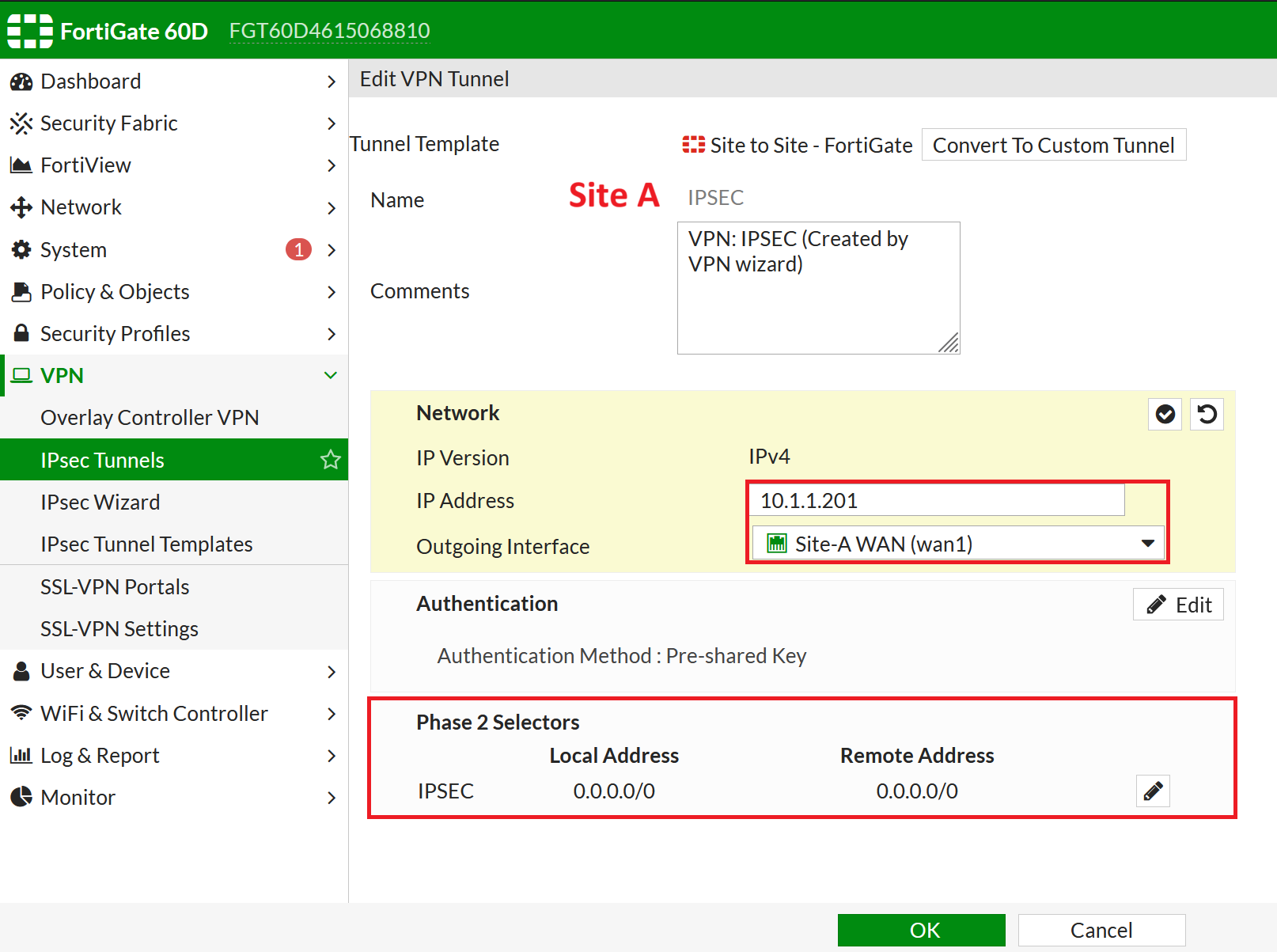
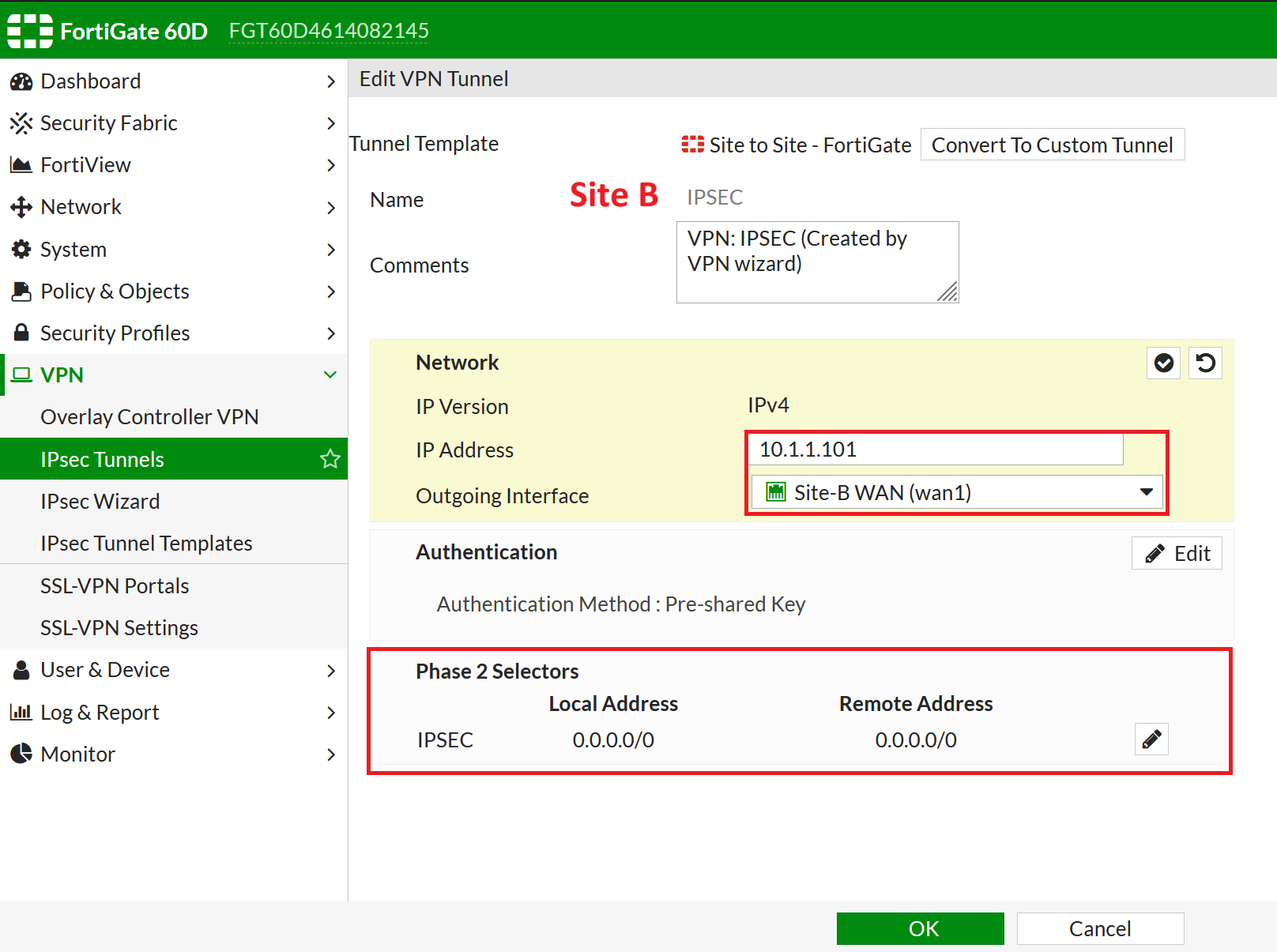
 IP指向對方的WAN IP、Local &amp; Remote Address 設定為 0.0.0.0/0

![image.png](https://mdfk.goddamn.idv.tw/uploads/images/gallery/2024-07/scaled-1680-/4jRimage.png)

![image.png](https://mdfk.goddamn.idv.tw/uploads/images/gallery/2024-07/scaled-1680-/O4mimage.png)

#### 設定IPSEC介面IP

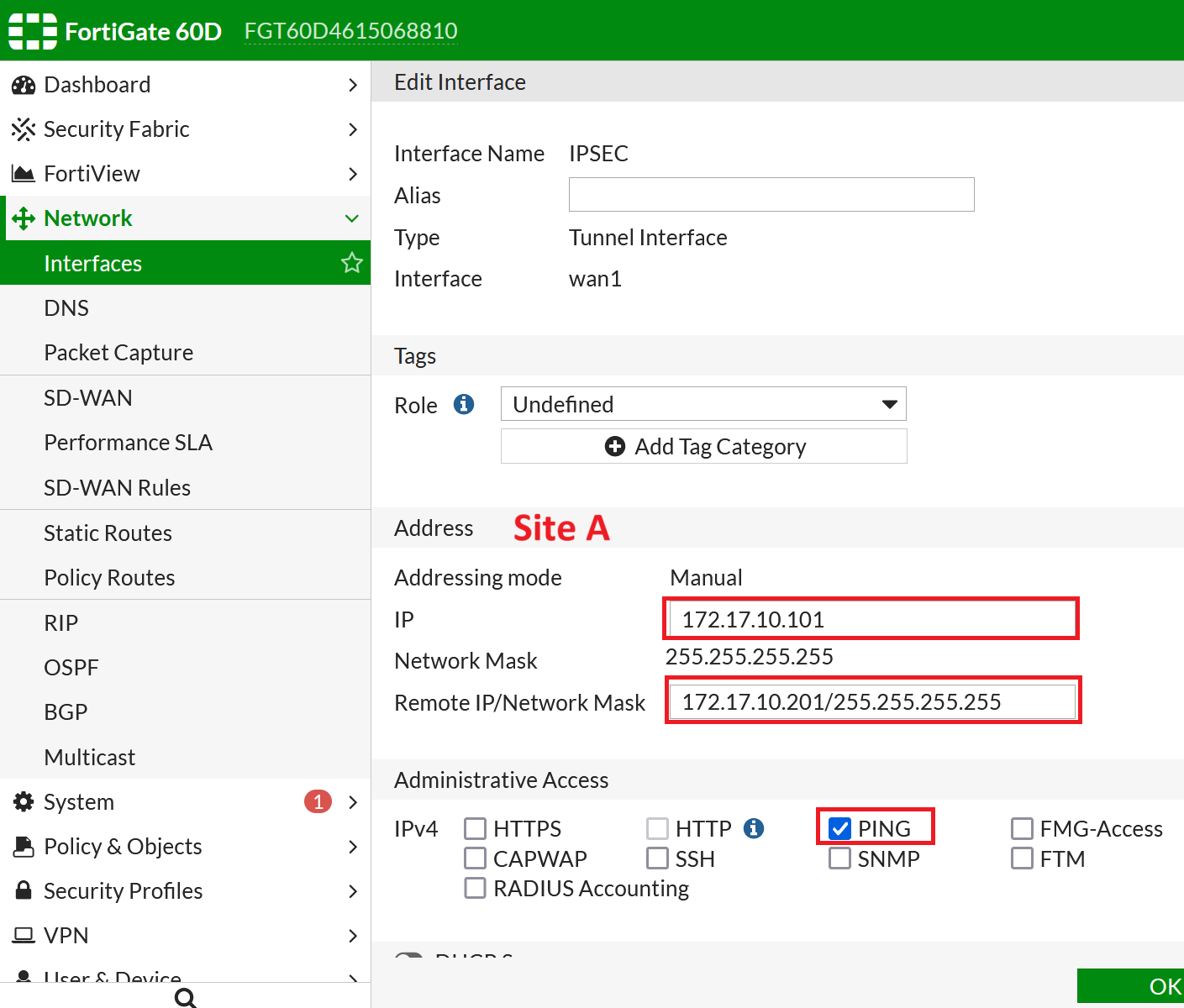
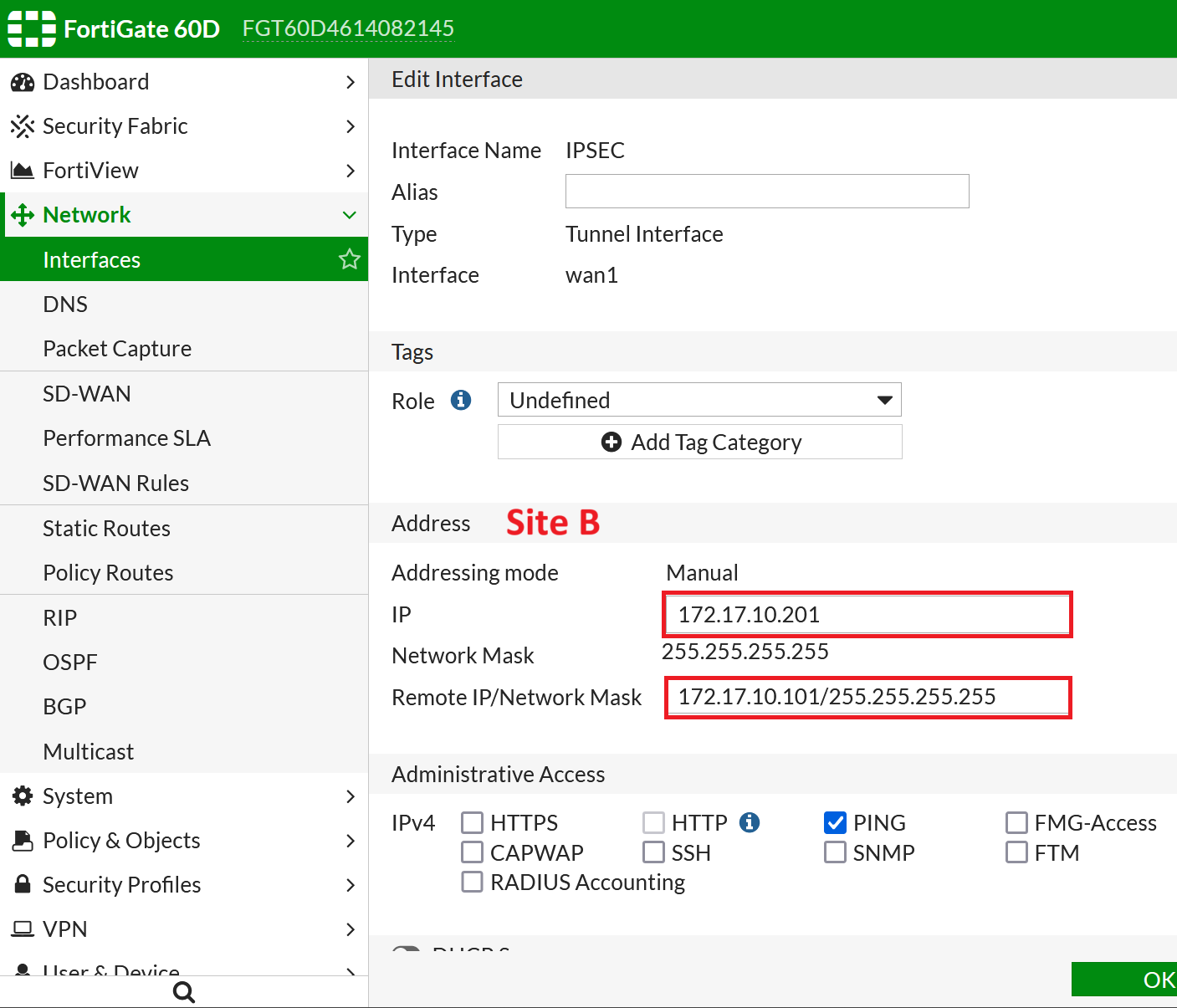
 對應Site A、Site B的設定，設定其Interface IP Address、Remote IP，並允許Ping (方便偵錯)

![image.png](https://mdfk.goddamn.idv.tw/uploads/images/gallery/2024-07/scaled-1680-/VWBimage.png)

![image.png](https://mdfk.goddamn.idv.tw/uploads/images/gallery/2024-07/scaled-1680-/ZZsimage.png)

 順便檢查一下上一動建立IPSEC的Static Route與 Policy

![image.png](https://mdfk.goddamn.idv.tw/uploads/images/gallery/2024-07/scaled-1680-/3Thimage.png)

[![image.png](https://mdfk.goddamn.idv.tw/uploads/images/gallery/2024-07/scaled-1680-/I7Vimage.png)](https://mdfk.goddamn.idv.tw/uploads/images/gallery/2024-07/I7Vimage.png)

[![image.png](https://mdfk.goddamn.idv.tw/uploads/images/gallery/2024-07/scaled-1680-/yLLimage.png)](https://mdfk.goddamn.idv.tw/uploads/images/gallery/2024-07/yLLimage.png)

[![image.png](https://mdfk.goddamn.idv.tw/uploads/images/gallery/2024-07/scaled-1680-/GRkimage.png)](https://mdfk.goddamn.idv.tw/uploads/images/gallery/2024-07/GRkimage.png)

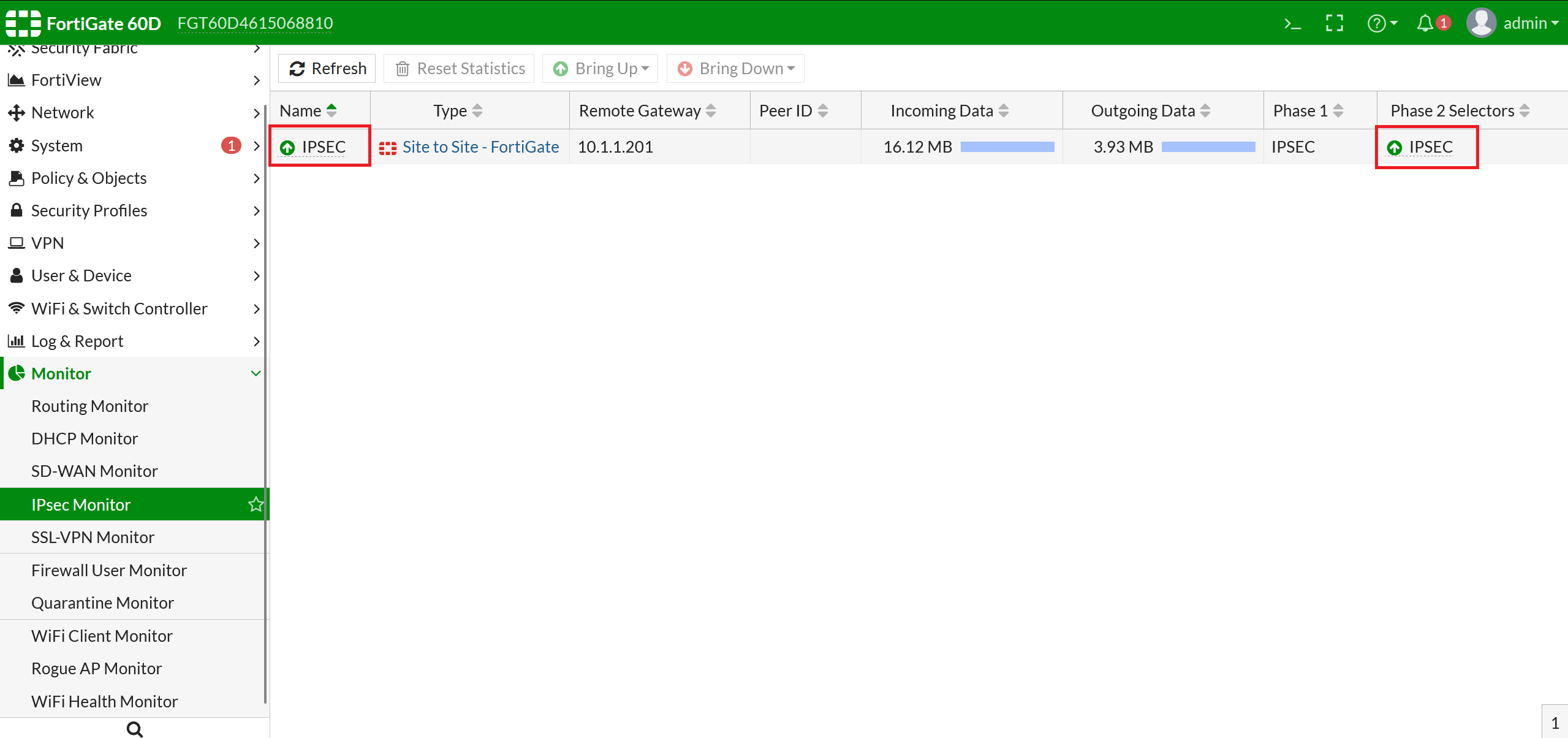
 檢查都ok的話，IPSEC應該就已經起來了

![image.png](https://mdfk.goddamn.idv.tw/uploads/images/gallery/2024-07/scaled-1680-/XNpimage.png)

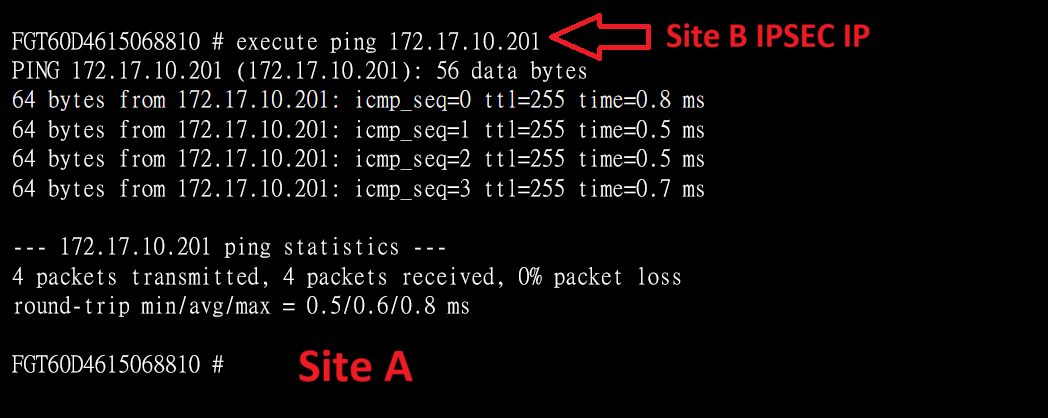
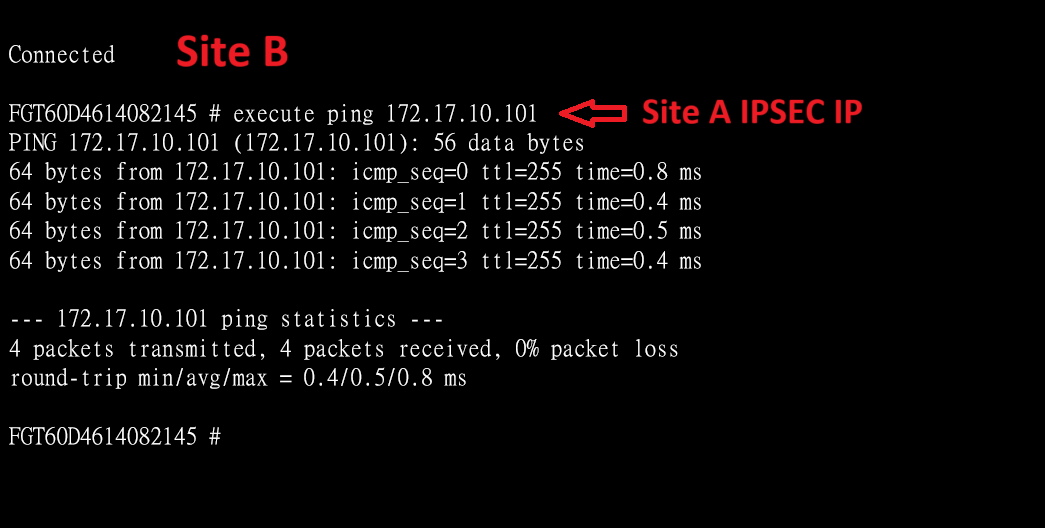
 此時互相Ping對方的IPSEC Interface IP應該就會通了

![image.png](https://mdfk.goddamn.idv.tw/uploads/images/gallery/2024-07/scaled-1680-/PJwimage.png)

![image.png](https://mdfk.goddamn.idv.tw/uploads/images/gallery/2024-07/scaled-1680-/XrEimage.png)

#### 設定iBGP

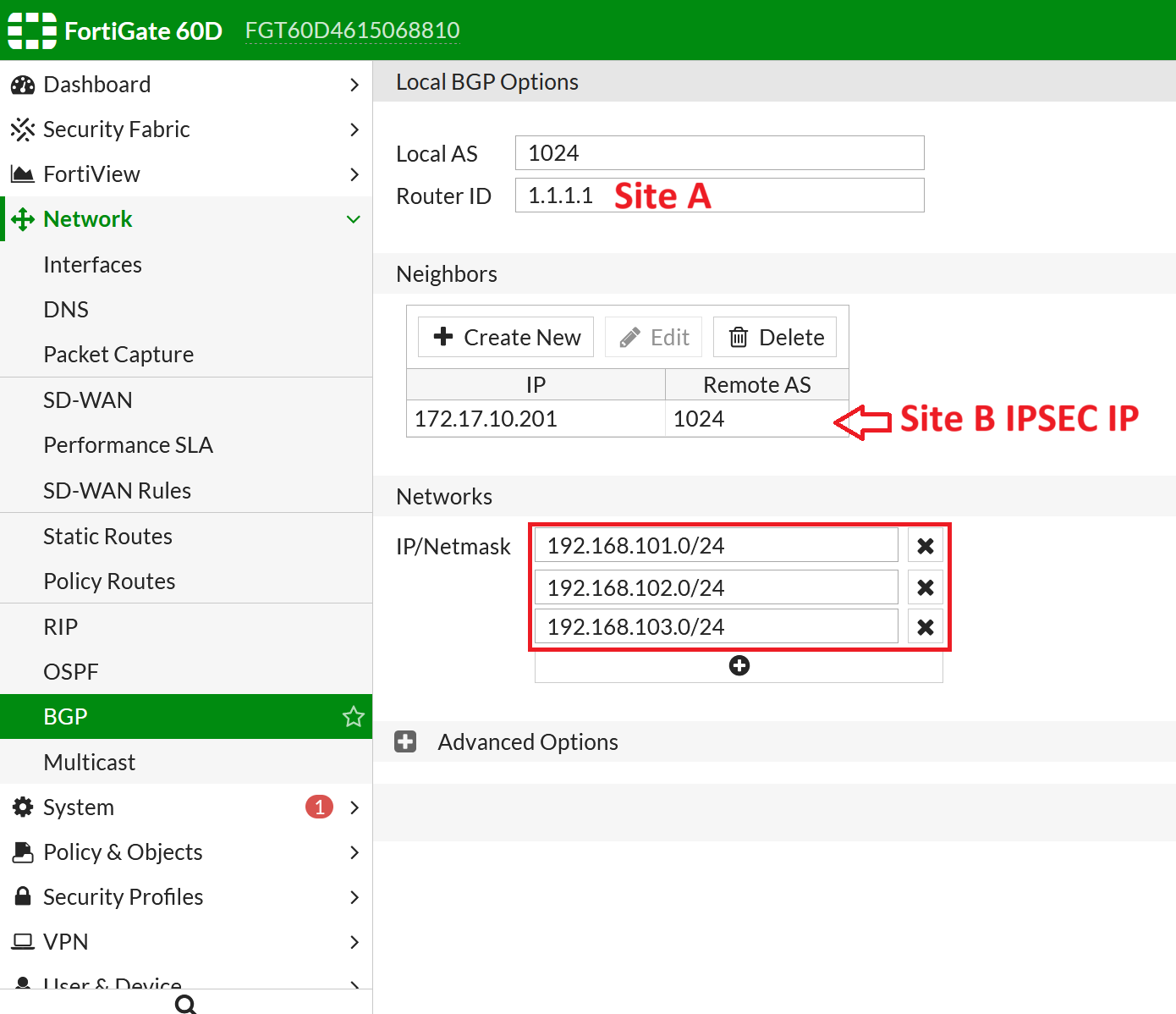
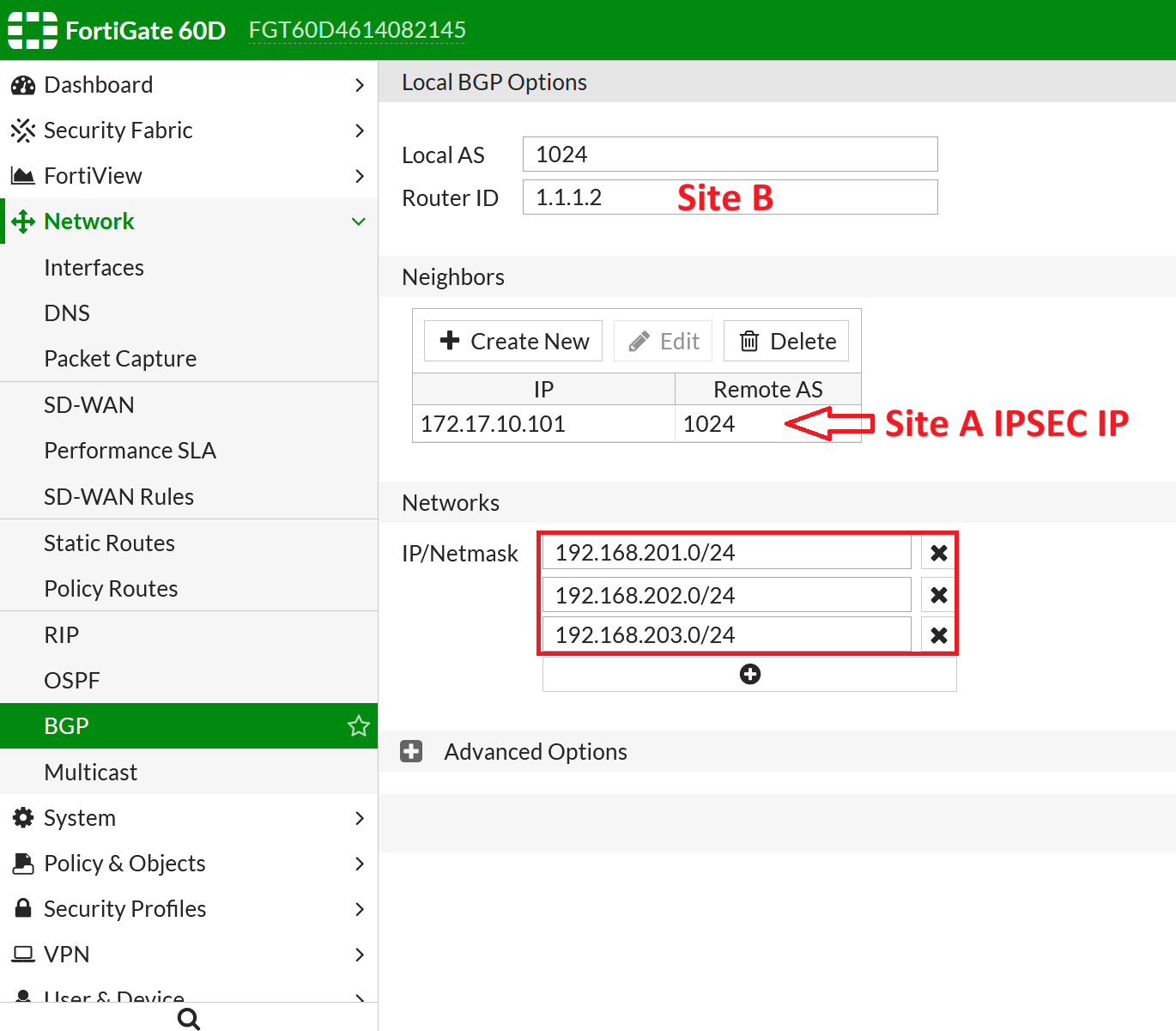
 Site A、Site B 設定相同的AS，Router ID設定不同的ID，Neighbors設定對方的IPSEC IP，最後鍵入自己的LAN Subnets

![image.png](https://mdfk.goddamn.idv.tw/uploads/images/gallery/2024-07/scaled-1680-/cHWimage.png)

![image.png](https://mdfk.goddamn.idv.tw/uploads/images/gallery/2024-07/scaled-1680-/Ok7image.png)

 至CLI設定BGP介面來源

```
<< Site A >>
config router bgp
config neighbor
edit 172.17.10.201
set update-source IPSEC
end
```
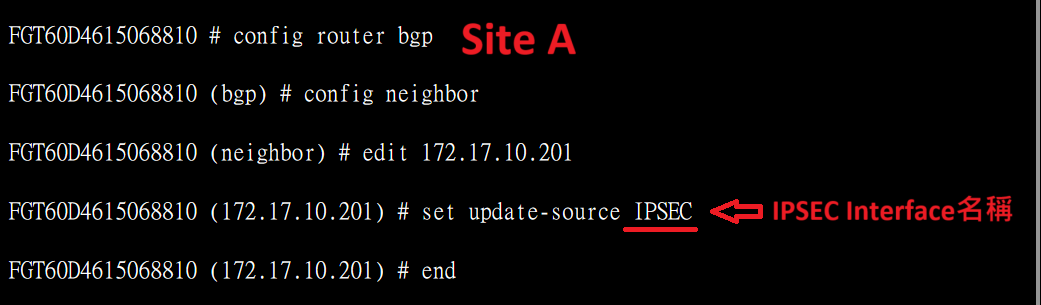
![image.png](https://mdfk.goddamn.idv.tw/uploads/images/gallery/2024-07/scaled-1680-/KFMimage.png)

```
<< Site B >>
config router bgp
config neighbor
edit 172.17.10.101
set update-source IPSEC
end
```
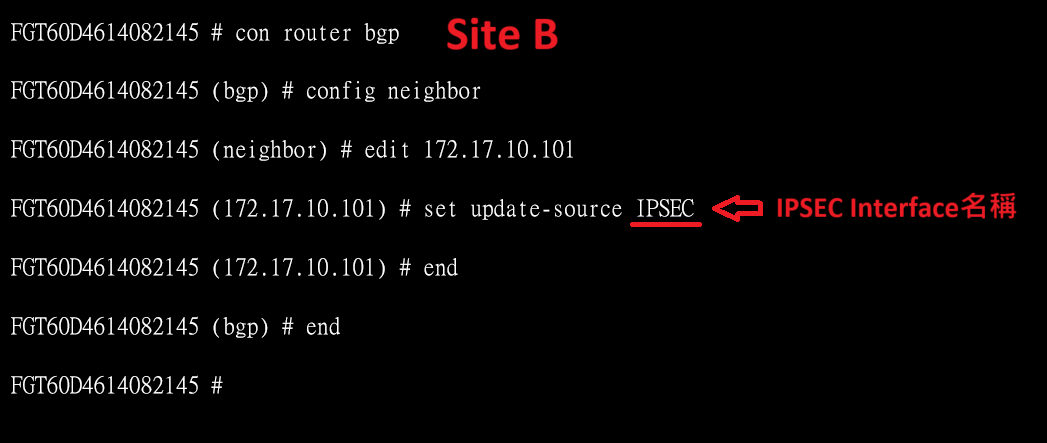
![image.png](https://mdfk.goddamn.idv.tw/uploads/images/gallery/2024-07/scaled-1680-/Phkimage.png)

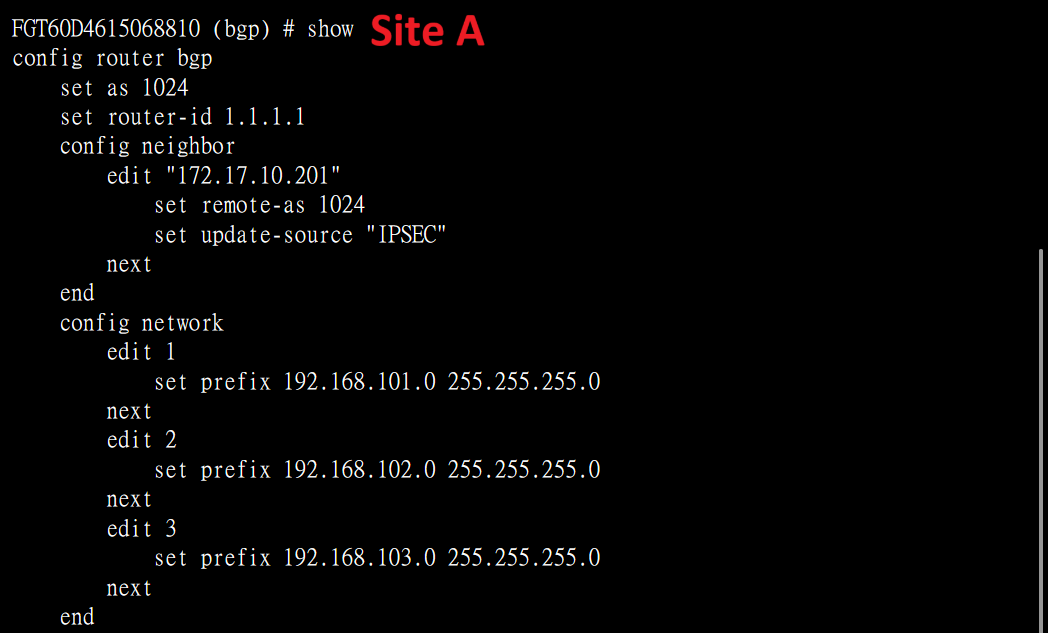
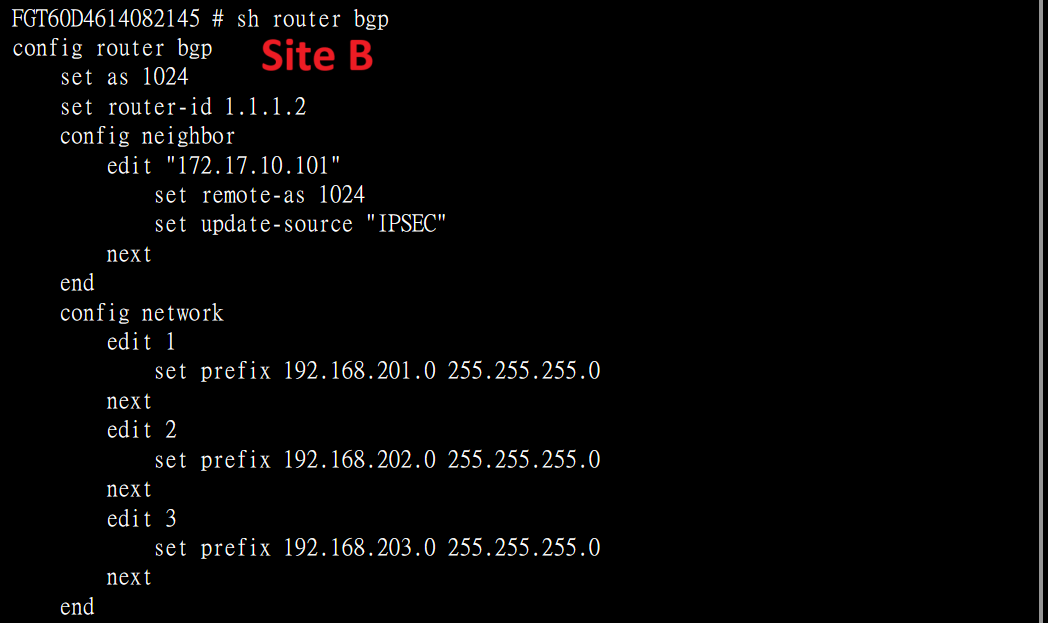
 確認一下BGP設定

```
show router bgp
```

![image.png](https://mdfk.goddamn.idv.tw/uploads/images/gallery/2024-07/scaled-1680-/Qlyimage.png)

![image.png](https://mdfk.goddamn.idv.tw/uploads/images/gallery/2024-07/scaled-1680-/ePMimage.png)

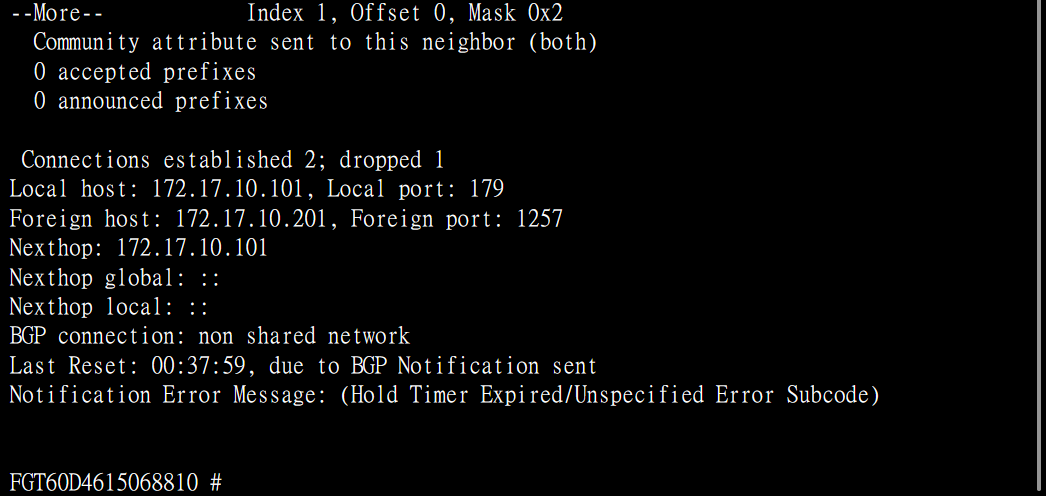
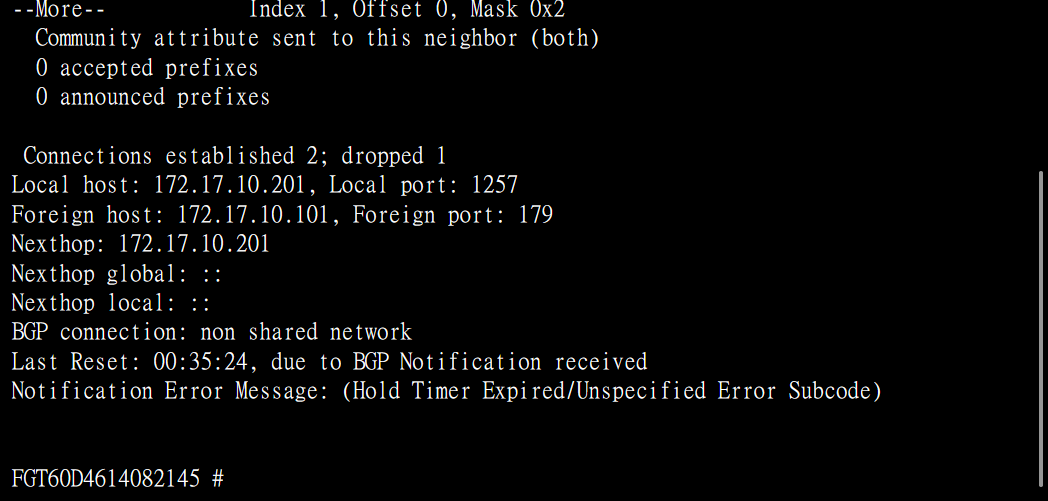
 確認Neighbors

```
get router info bgp neighbors
```
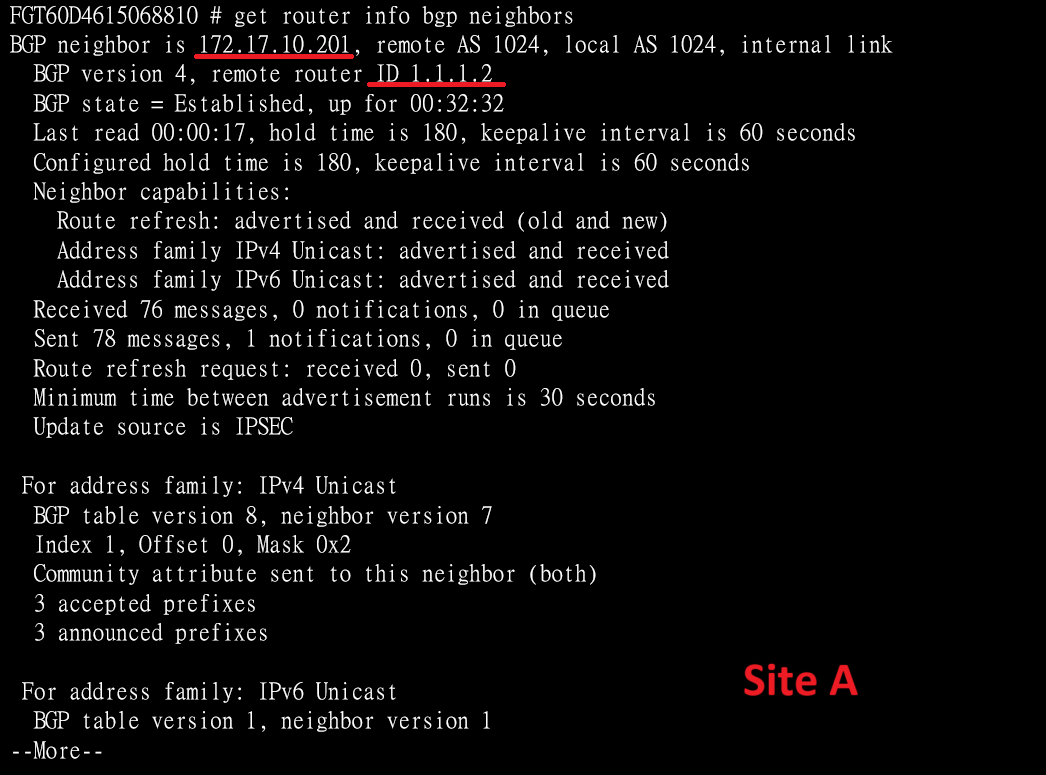
![image.png](https://mdfk.goddamn.idv.tw/uploads/images/gallery/2024-07/scaled-1680-/qXAimage.png)

[![image.png](https://mdfk.goddamn.idv.tw/uploads/images/gallery/2024-07/scaled-1680-/DgLimage.png)](https://mdfk.goddamn.idv.tw/uploads/images/gallery/2024-07/DgLimage.png)
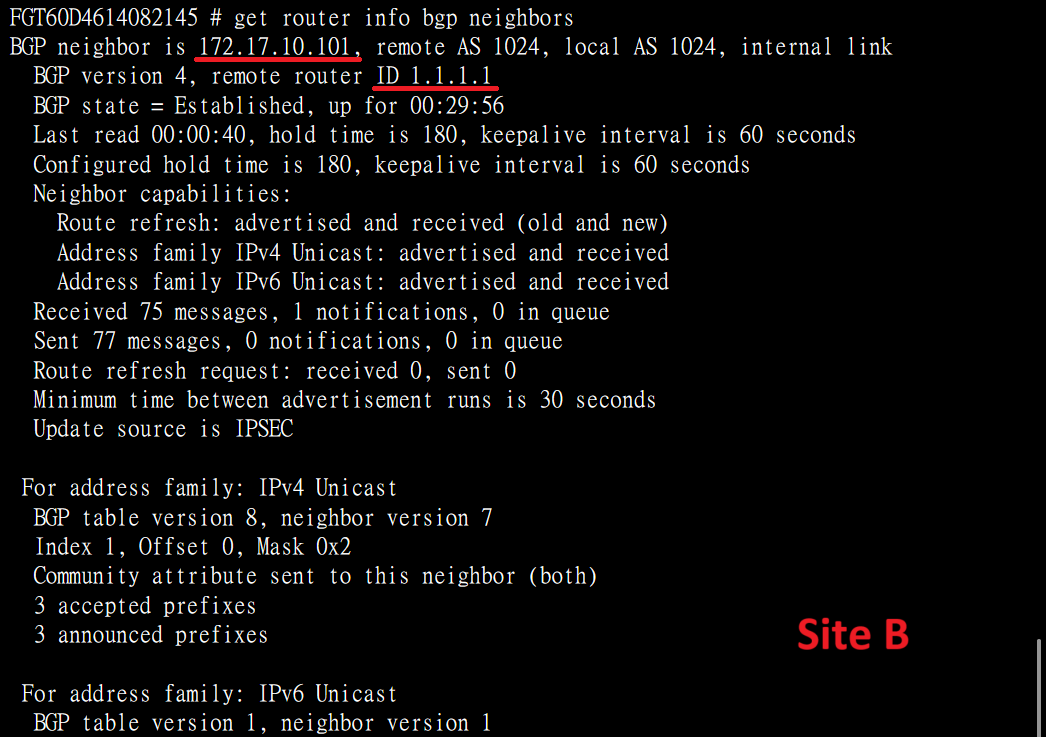
![image.png](https://mdfk.goddamn.idv.tw/uploads/images/gallery/2024-07/scaled-1680-/e1kimage.png)

![image.png](https://mdfk.goddamn.idv.tw/uploads/images/gallery/2024-07/scaled-1680-/xBIimage.png)

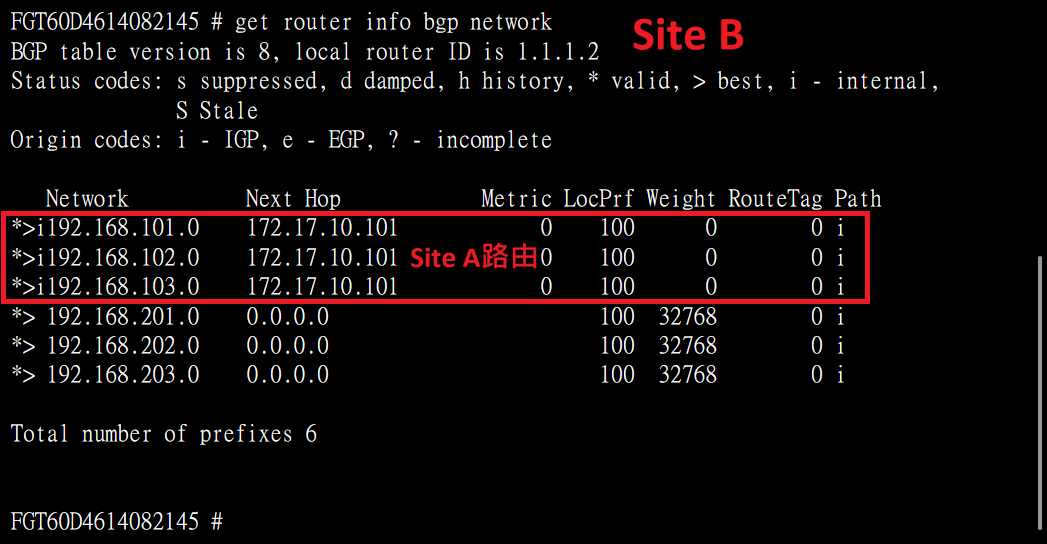
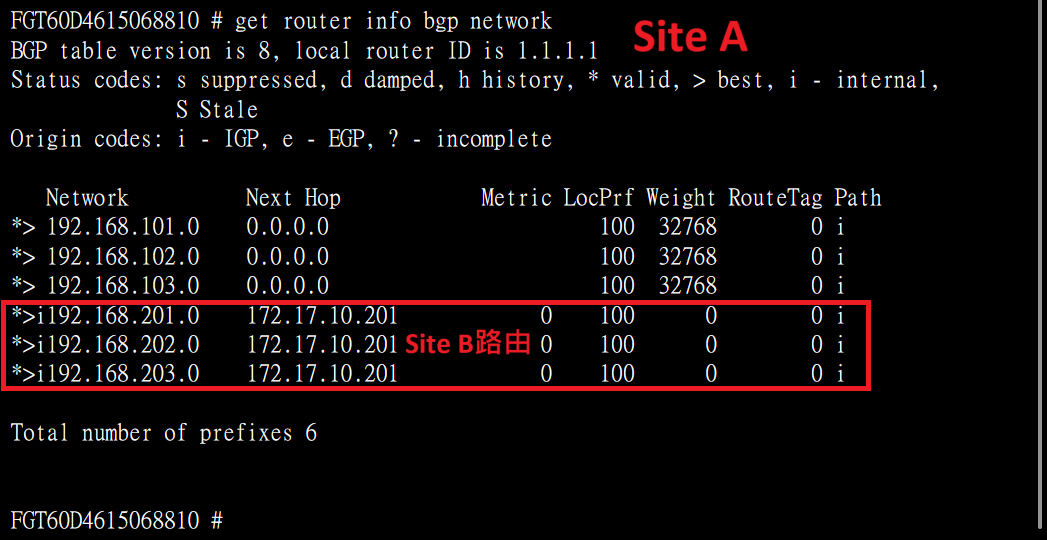
 確認BGP路由

```
get router info bgp network
```
![image.png](https://mdfk.goddamn.idv.tw/uploads/images/gallery/2024-07/scaled-1680-/7Ubimage.png)

![image.png](https://mdfk.goddamn.idv.tw/uploads/images/gallery/2024-07/scaled-1680-/mddimage.png)

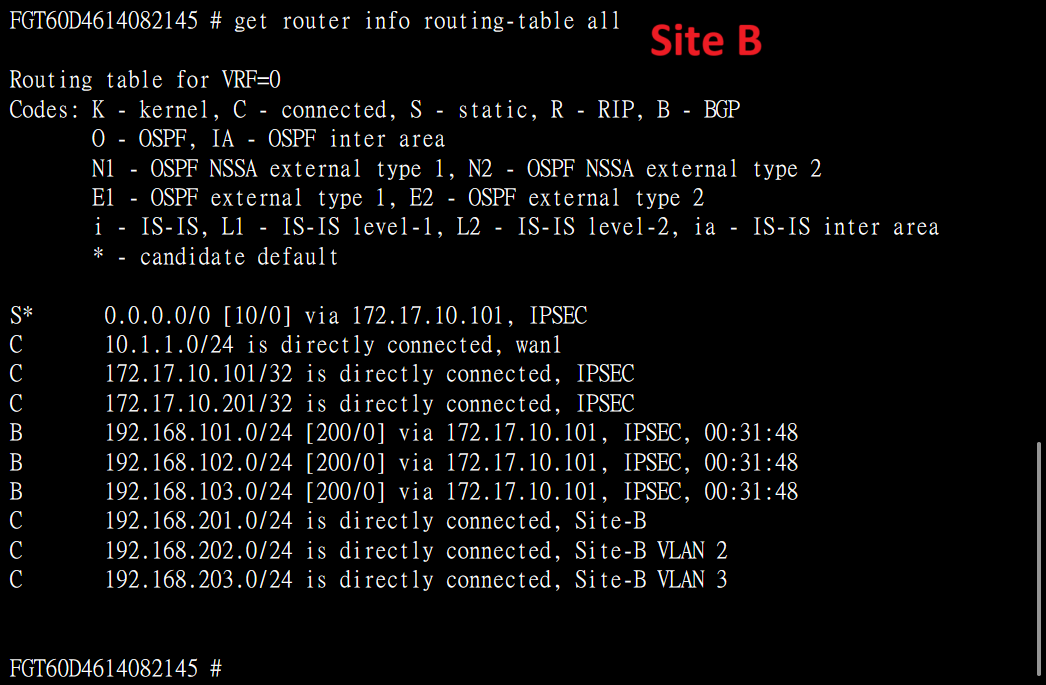
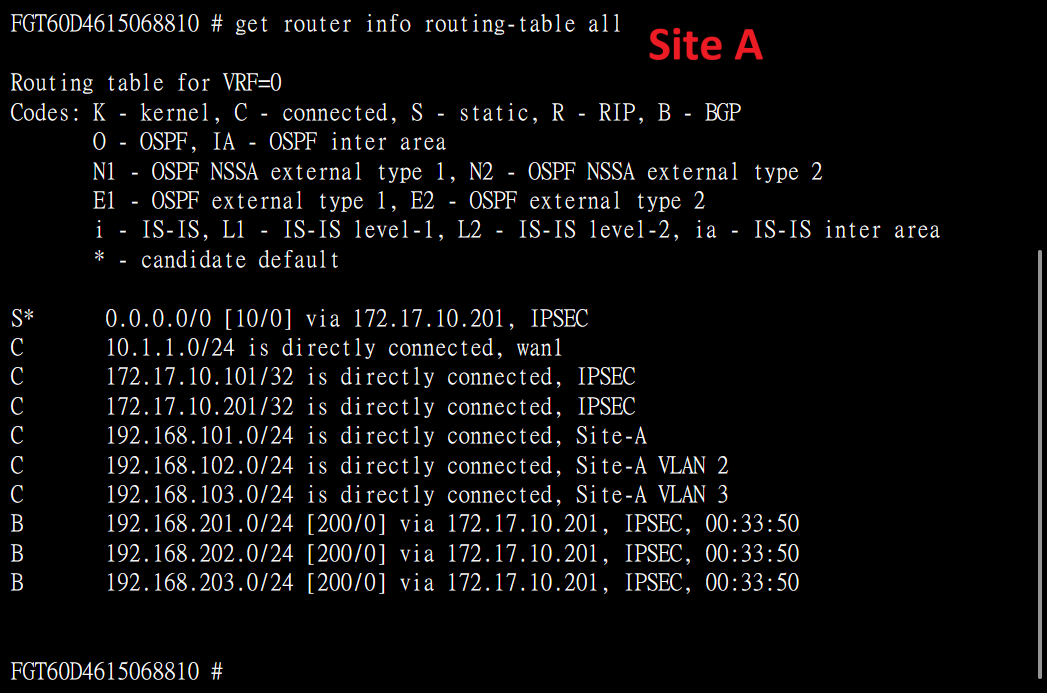
 確認整體路由

```
get router info routing-table all
```
![image.png](https://mdfk.goddamn.idv.tw/uploads/images/gallery/2024-07/scaled-1680-/ty6image.png)

![image.png](https://mdfk.goddamn.idv.tw/uploads/images/gallery/2024-07/scaled-1680-/5gUimage.png)

## 連線測試

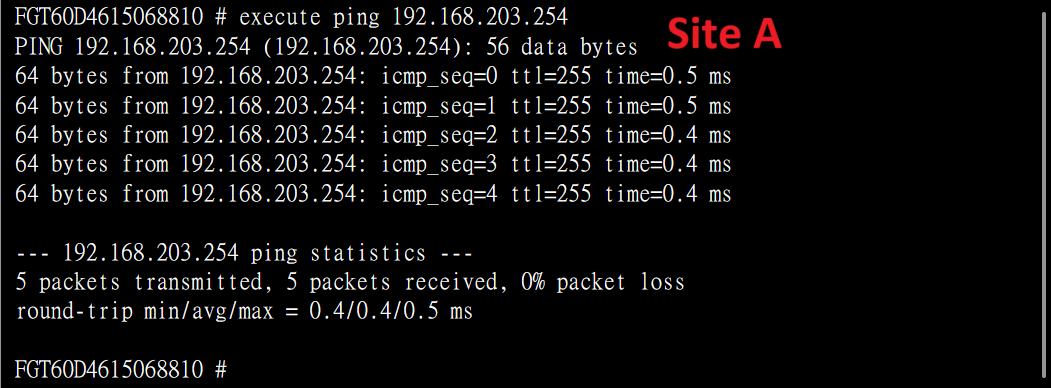
 從Site A Firewall測試ping Site B VLAN 3 Interface IP
![image.png](https://mdfk.goddamn.idv.tw/uploads/images/gallery/2024-07/scaled-1680-/JYFimage.png)

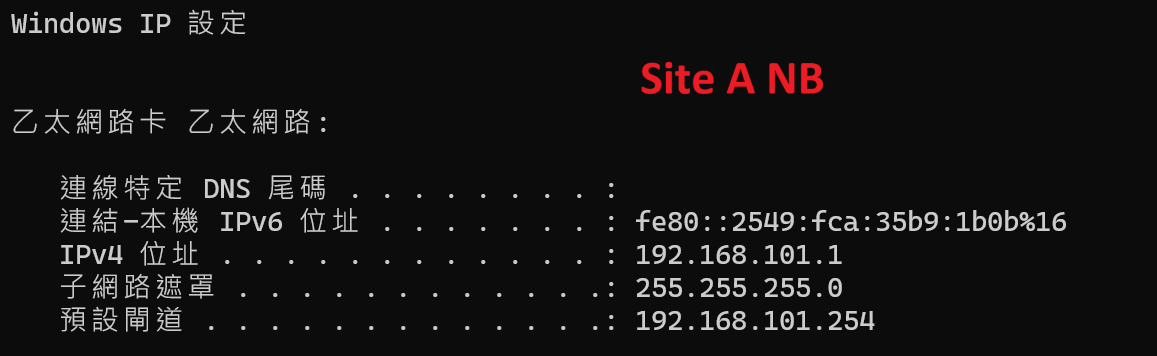
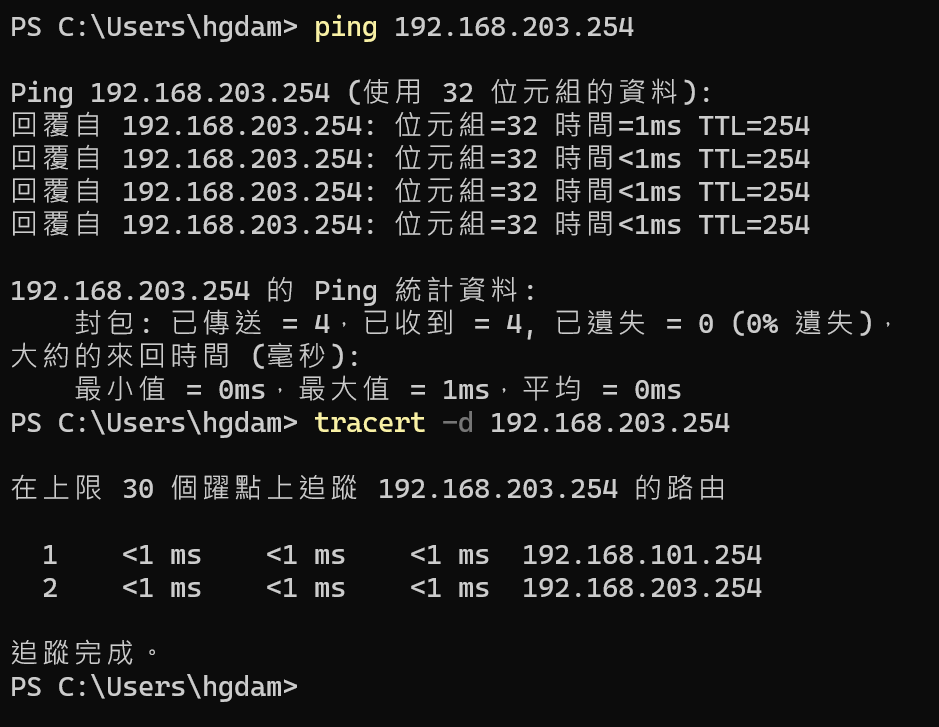
將NB接到Site A LAN，Ping Site B VLAN 3 Interface IP

![image.png](https://mdfk.goddamn.idv.tw/uploads/images/gallery/2024-07/scaled-1680-/y6Nimage.png)

![image.png](https://mdfk.goddamn.idv.tw/uploads/images/gallery/2024-07/scaled-1680-/7qDimage.png)

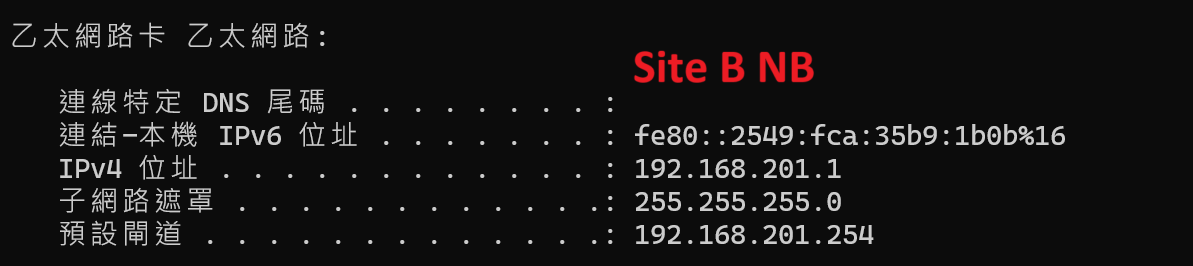
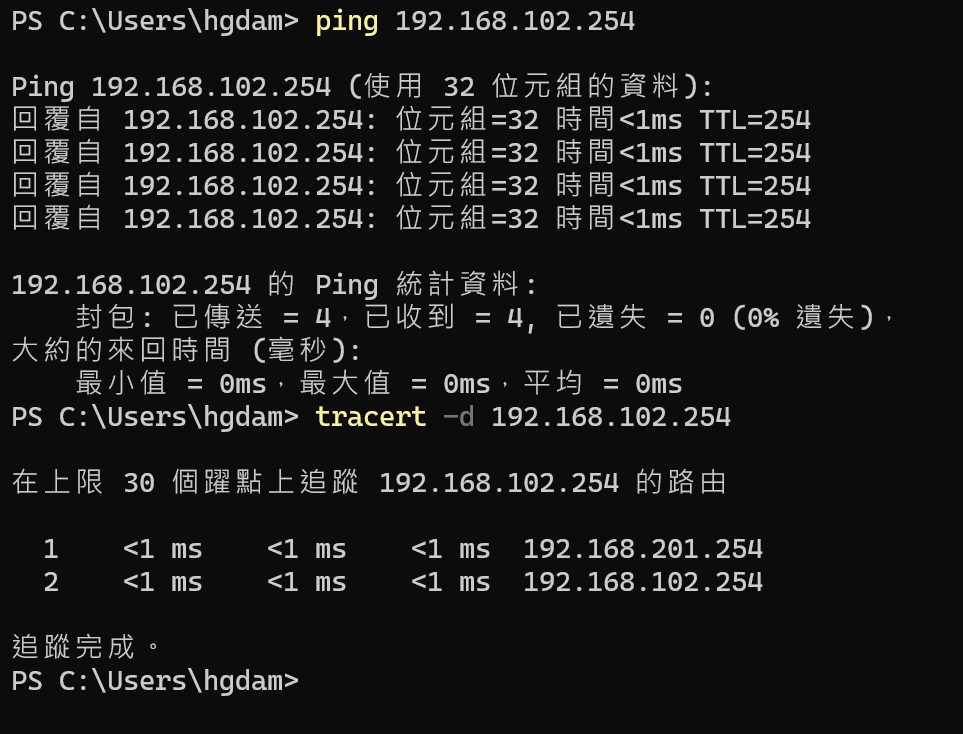
將NB接到Site B LAN，Ping Site B VLAN 2 Interface IP

![image.png](https://mdfk.goddamn.idv.tw/uploads/images/gallery/2024-07/scaled-1680-/6IEimage.png)

![image.png](https://mdfk.goddamn.idv.tw/uploads/images/gallery/2024-07/scaled-1680-/Z0himage.png)

## 結語

 以上實作透過Fortigate IPSEC VPN來進行iBGP動態路由，不過通常一般企業內部其實鮮少會使用BGP來進行路由交換，僅在此紀錄一下設定與測試的過程，並提供有需要的朋友參考。